
YouTube for Android TV
Screenshots
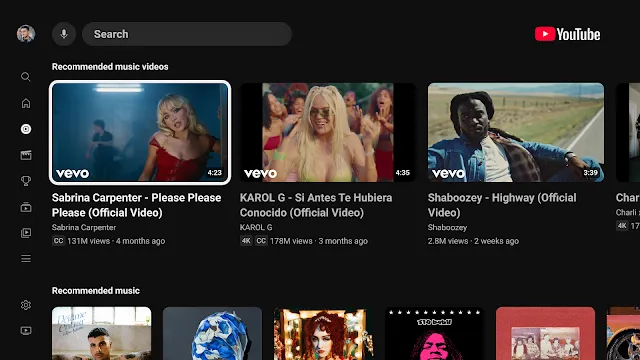
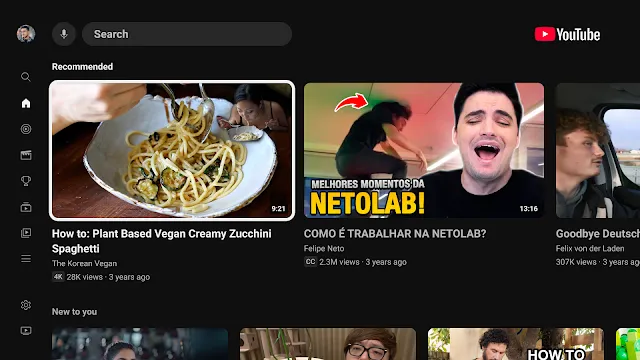
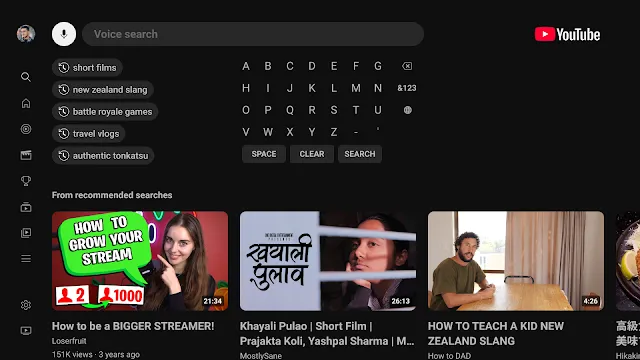
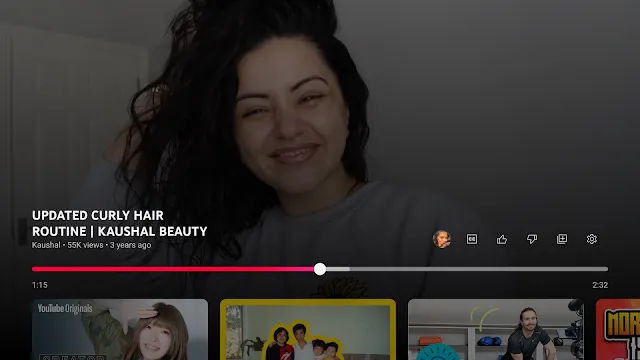
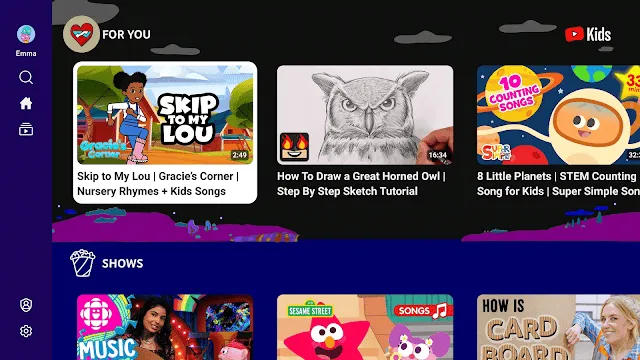
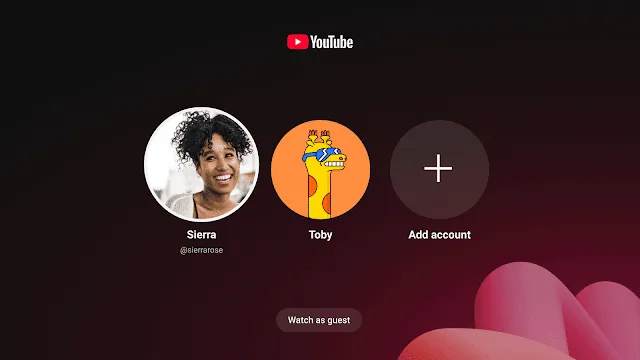
YouTube for Android TV offers a specialized way to experience your favorite video content on a large screen. This application transforms your television into a portal for global entertainment. It uses a leanback interface designed specifically for remote control navigation. You do not need a mouse or keyboard to find what you love. The app comes pre-installed on most smart TVs and streaming boxes. It syncs perfectly with your existing Google account to provide a personalized feed. You can watch everything from music videos to educational documentaries in high definition. The layout remains clean and focuses on visual discovery.
Navigating YouTube for Android TV
The user interface focuses on simplicity and speed. When you open the app, you see a sidebar on the left side of the screen. This menu allows you to jump between search, home, and your subscriptions. You use the directional pad on your remote to move through rows of video thumbnails. Each row represents a different category or recommendation based on your habits.
- Home: Discover new videos tailored to your interests.
- Subscriptions: See the latest uploads from channels you follow.
- Library: Access your history, liked videos, and purchases.
- Search: Find specific content using an on-screen keyboard or voice.
The app responds quickly to inputs. This ensures you spend less time clicking and more time watching. Transitions between menus feel smooth and intuitive. Even first-time users can master the navigation within minutes.
Features of YouTube for Android TV
This version of the app includes features that prioritize the living room experience. It supports 4K resolution and High Dynamic Range (HDR) for crisp image quality. If your television supports these formats, the app automatically selects the best bitrate. This results in vivid colors and deep blacks that make movies look professional.
Another key feature is the voice search functionality. You can press the microphone button on your remote to speak your request. The app interprets your voice and displays relevant results instantly. This saves you from the tedious task of typing letter by letter. Furthermore, the app supports multiple user profiles. Every family member can switch to their own account to keep their recommendations separate. This prevents your kids’ cartoons from appearing in your professional news feed.
Optimizing YouTube for Android TV for Quality
To get the best picture, you should check your connection and settings. The app features an “Auto” quality setting that adjusts based on your internet speed. If you have a fast connection, you can manually lock the resolution to 2160p. This ensures the stream never drops in quality during playback.
- Select the “Gear” icon during a video.
- Choose the “Quality” menu option.
- Pick the highest available resolution for your screen.
- Enable captions or subtitles if you need them.
The audio experience is also optimized. The app supports surround sound for compatible home theater systems. This adds an immersive layer to concerts and cinematic trailers. You can adjust the playback speed as well. This is helpful if you want to get through a long tutorial quickly or slow down a complex dance move.
Connectivity and Casting to YouTube for Android TV
Casting is one of the most convenient ways to use this platform. You can find a video on your smartphone and send it to the TV with one tap. This feature links your mobile device to the television app wirelessly. Your phone then acts as a sophisticated remote control. You can queue up multiple videos from your phone while the current one is still playing.
This connection works over your local Wi-Fi network. Both devices must be on the same network for the “Cast” icon to appear. Once connected, you can browse other apps on your phone without interrupting the video. You can even turn off your phone screen to save battery while the TV continues the stream. This creates a seamless bridge between your personal device and the shared family screen.
Parental Controls and Safety
Safety is a priority for many households using large-screen devices. The app allows you to enable “Restricted Mode” to filter out mature content. This is a vital tool if children use the TV regularly. You can also install the YouTube Kids app separately for a more curated environment.
- Open the settings menu within the main app.
- Scroll down to find “Restricted Mode.”
- Toggle the switch to “On” to hide potentially sensitive videos.
- Set up a screen time limit through your Google account.
These tools help manage what is visible in the living room. You can also clear your search and watch history at any time. This keeps your data private and resets the recommendation algorithm if it becomes stale. Managing these settings ensures a healthy viewing environment for everyone in the home.
Updates and Maintenance
Google frequently updates the software to improve performance. These updates often fix bugs and add new interactive features. Most devices download these updates automatically in the background. If you notice a glitch, you can manually check for updates in the system settings of your TV.
Keeping the app updated ensures compatibility with new video codecs. This helps reduce buffering and improves load times for heavy 4K files. Sometimes, an update might change the layout to make it even more user-friendly. Always check the “What’s New” section to see the latest improvements. Regular maintenance like clearing the app cache can also help if the app feels sluggish. This keeps the experience fast and reliable for daily use.
Conclusion
YouTube for Android TV provides a premium viewing experience for every household. It combines ease of use with high-end technical features like 4K HDR and voice search. The ability to sync accounts and cast from mobile devices makes it a central part of home entertainment. You can easily manage your content and keep your family safe with built-in controls. By navigating the menus and optimizing your settings, you unlock a world of endless video content. It remains a reliable and powerful tool for watching the creators you love on the biggest screen in your house.